







How we chose
We chose three microSD Express cards from the makers' own pages, plus the regular card that still suits the original Switch. We did not test them. Read the capacity and the Switch 2 note on each listing.
What microSD Express is
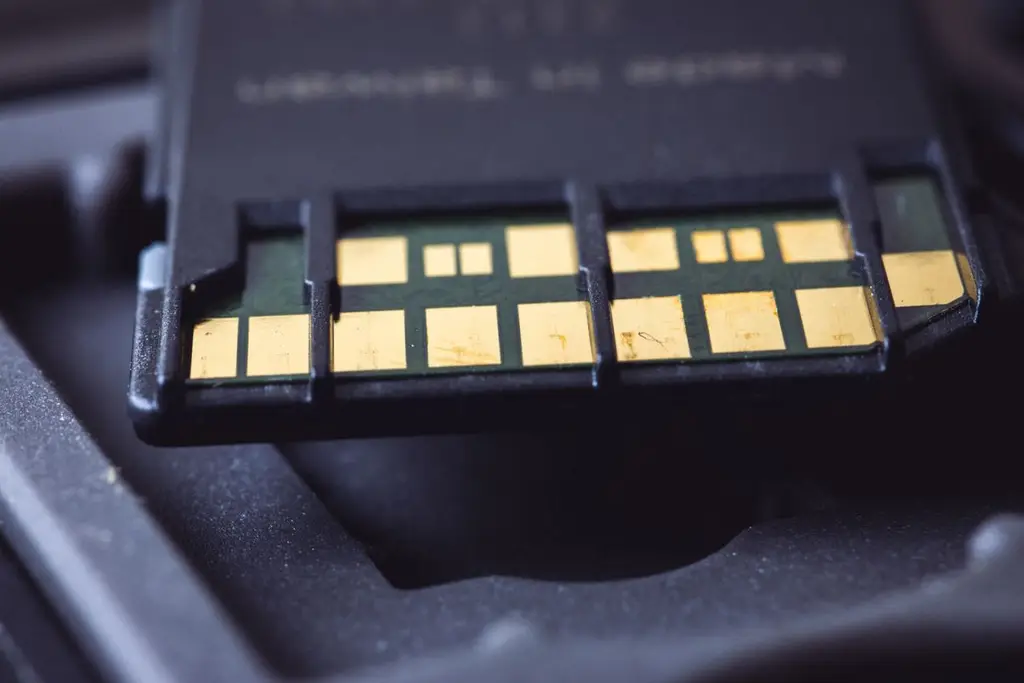
microSD Express is a faster card standard with extra contacts. Switch 2 accepts only that kind of card; a regular microSD card will not work in it. The listing should say microSD Express and name Switch 2. Speeds on the listings run from 800 to 900 MB/s read.
If you have the original Switch
The original Switch, OLED and Lite use regular microSDXC cards, up to a size Nintendo supports. A Nintendo-licensed card such as the SanDisk one listed here is the simple choice. See Switch accessories.
Moving your games
Moving games between Switch and Switch 2 works through Nintendo's own tools; read Nintendo's support page. Keep your old card for the old console, since it will not fit the new one.
Shop on Amazon
SponsoredAs an Amazon Associate, GameGearLab earns from qualifying purchases. Affiliate disclosure. Images are generic illustrations, not the exact listing.
-
Console Accessories
A general starting point for browsing console and setup accessories, covering stands, hubs, and cable routing tools.
Browse console accessories on Amazon: Console Accessories on Amazon -
Gaming Mice
A general starting point for browsing gaming mice, covering common shapes and grip-friendly designs.
Check current mouse options on Amazon: Gaming Mice on Amazon -
Gaming Monitors
A general starting point for browsing gaming monitors, covering common refresh-rate and resolution tiers.
Browse gaming monitors on Amazon: Gaming Monitors on Amazon -
Gaming Chairs
A general starting point for browsing gaming chairs, covering common adjustability features to look for.
See gaming chair options on Amazon: Gaming Chairs on Amazon -
Gaming PCs
A general starting point for browsing gaming PCs and components, covering common configuration tiers.
Browse gaming PCs on Amazon: Gaming PCs on Amazon -
Gaming Headsets
A general starting point for browsing gaming headsets, covering wired and wireless options across consoles and PC.
Browse gaming headsets on Amazon: Gaming Headsets on Amazon -
Controllers
A general starting point for browsing controllers, covering standard and alternative layouts for PC and consoles.
See controller options on Amazon: Controllers on Amazon -
Gaming Keyboards
A general starting point for browsing mechanical gaming keyboards, covering common layouts and switch styles.
Browse gaming keyboards on Amazon: Gaming Keyboards on Amazon
Mistakes to avoid
The main mistake is buying a regular microSD card because it looks the same and costs less. The Switch 2 slot rejects it. Another is buying a very large capacity to save on a second card, then finding the speed or the listing does not name Switch 2. Check for the words microSD Express and Switch 2 before you add the card to the basket.
Before you buy
Check the capacity against the games you own and the system update size. Read the seller's return policy, since fake and mislabelled memory cards are a known problem with some listings. Buy from the maker or an authorized seller if you can, and test the card by copying a game to it and playing.
After you buy
After you install the card, format it only through the console's own menu, and keep the original packaging with the capacity and the serial number in case you need support. Do not remove the card while the console is on. Back up your save data through Nintendo's own tools before you move cards.
Quick checklist
- Look for the words microSD Express and Switch 2 on the listing, not only the capacity and the speed.
- Pick a capacity that matches your library and leaves room for updates and saves.
- Buy from the maker or an authorized seller, since fake memory cards exist on some marketplaces.
- After you install the card, copy one game to it and check that it loads before moving the rest.