







What Hot-Swappable Means
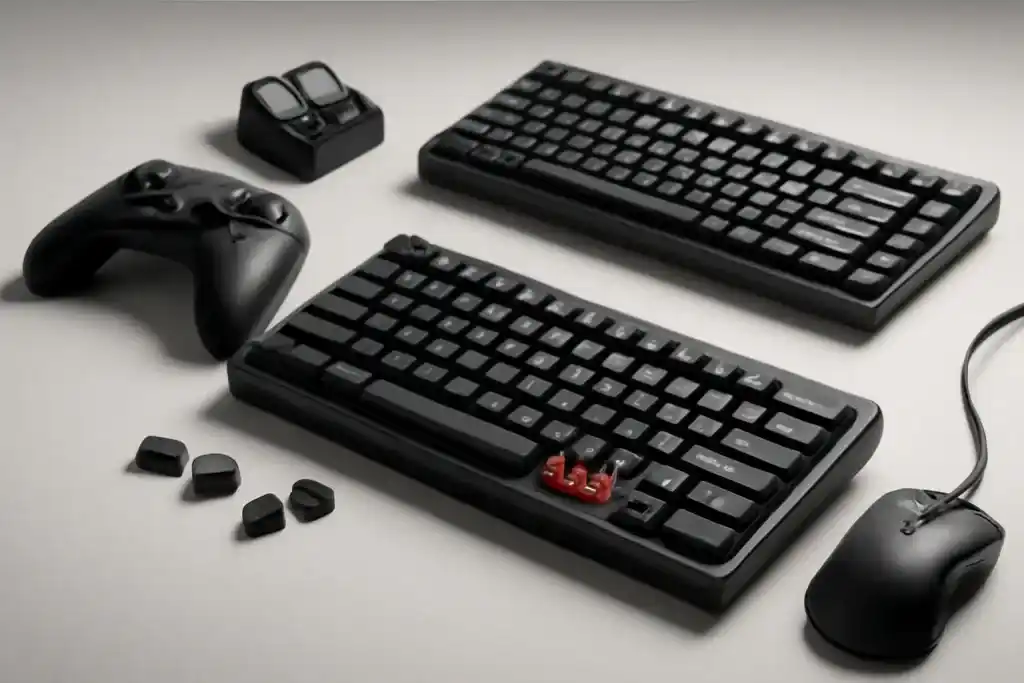
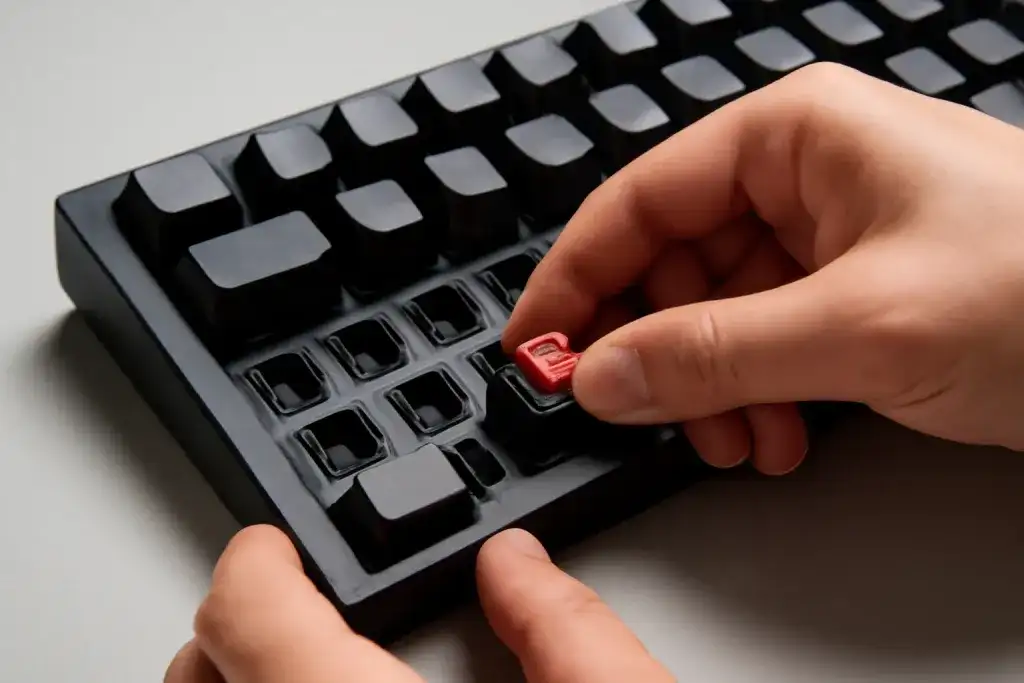
In a hot-swappable gaming keyboards comparison, the headline feature is simple: you can remove and replace switches without soldering. That matters because it lowers the barrier to changing the feel, sound, and actuation point of a keyboard. If you want a lighter switch for fast taps in one game and a firmer switch for typing, hot-swap support makes those changes practical for regular users.
The key point is that hot-swappable does not mean every switch will work in every board. Most hot-swap boards support a specific switch style, usually MX-compatible mechanical switches. Even within that broad family, you still need to pay attention to pin count, stabilizer design, and whether the board is built for 3-pin, 5-pin, or both. Buying the wrong switch type can turn a simple upgrade into a return or a frustrating mismatch.
Hot-swap also changes the ownership experience. Instead of replacing the entire keyboard when a single switch fails, you may only need to swap the problem switch. That can be a practical advantage for gamers who use one keyboard daily and want to keep it in service longer. It can also help users who like to experiment with clicky, tactile, or linear switches before settling on a favorite feel.
There are trade-offs. Hot-swap sockets add complexity to the PCB, and not every hot-swap board feels equally solid. Some models focus on easy customization and accept a little compromise in rigidity, while others pair hot-swap support with heavier case construction. The best choice depends on whether you value convenience, acoustics, or a sturdier typing base more.
Switch Compatibility and Layout
The first spec to check is switch compatibility. A true hot-swappable gaming keyboard should clearly state which switches it supports. The most common setup is MX-style mechanical switches, but the details matter. If the board uses 3-pin sockets, it may not accept 5-pin switches without modification. If it supports 5-pin, you usually get more flexibility for future switch choices. That flexibility is one of the main reasons people start a hot-swappable gaming keyboards comparison in the first place.
Layout is the second major variable. Full-size boards include a numpad, which is useful for general work but takes up desk space. Tenkeyless models remove the numpad and usually free more room for mouse movement. Smaller layouts, such as 75%, 65%, or 60%, shrink the footprint even more and can feel cleaner on compact desks. For gaming, that smaller footprint can be appealing, but it also means fewer dedicated keys and sometimes a steeper learning curve.
You should also think about the key positions you use every day. If you rely on arrow keys, function rows, or media controls, a compact board may require layers or shortcuts. Those layers are manageable, but they are not as immediate as dedicated keys. For many buyers, this becomes the central trade-off: more desk space and a cleaner setup versus quicker access to extra controls.
Finally, pay attention to layout consistency. Some boards offer odd right-shift sizes, nonstandard bottom rows, or unusual stabilizer placement. Those quirks can make keycap replacement harder later. If you plan to customize, choosing a common layout usually saves time and reduces compatibility headaches.
Build Quality and Feel
Hot-swap support tells you how easy the keyboard is to modify, but build quality tells you how it will feel every day. Case material, plate material, mounting style, and internal dampening all shape the sound and firmness of the board. A plastic case can be perfectly usable, but it may sound lighter and feel less dense than an aluminum or metal-reinforced design. Heavier constructions often feel more planted on the desk, though they can also add cost and weight.
The plate is another important part of the experience. Different plate materials can influence flex and acoustics. A more rigid plate tends to feel direct and stable, while a slightly more flexible design may feel softer under rapid key presses. Neither is automatically better. Gamers who want a sharp, consistent press may prefer a firmer build, while users who type long sessions may enjoy a little give.
Sound matters too, especially if you share a space or prefer a quieter setup. Switch choice plays a major role, but the case and internal foam or dampening layers also affect the final tone. Some keyboards are tuned to sound fuller, while others have a brighter or more resonant character. Since sound is personal, it helps to think about whether you want a muted office-friendly board, a crisp gaming board, or something in between.
Stabilizers deserve attention as well. Large keys like spacebar, enter, and shift can rattle if the stabilizers are loose or poorly tuned. A good hot-swap board does not just make switch changes easy; it also uses a design that keeps the larger keys stable and consistent. That part of the package often separates a satisfying keyboard from one that feels merely convenient.
Shop on Amazon
SponsoredAs an Amazon Associate, GameGearLab earns from qualifying purchases. Affiliate disclosure. Images are generic illustrations, not the exact listing.
-
Gaming Keyboards
A general starting point for browsing mechanical gaming keyboards, covering common layouts and switch styles.
Browse gaming keyboards on Amazon: Gaming Keyboards on Amazon -
Gaming Monitors
A general starting point for browsing gaming monitors, covering common refresh-rate and resolution tiers.
Browse gaming monitors on Amazon: Gaming Monitors on Amazon -
Gaming Chairs
A general starting point for browsing gaming chairs, covering common adjustability features to look for.
See gaming chair options on Amazon: Gaming Chairs on Amazon -
Gaming PCs
A general starting point for browsing gaming PCs and components, covering common configuration tiers.
Browse gaming PCs on Amazon: Gaming PCs on Amazon -
Console Accessories
A general starting point for browsing console and setup accessories, covering stands, hubs, and cable routing tools.
Browse console accessories on Amazon: Console Accessories on Amazon -
Gaming Headsets
A general starting point for browsing gaming headsets, covering wired and wireless options across consoles and PC.
Browse gaming headsets on Amazon: Gaming Headsets on Amazon -
Controllers
A general starting point for browsing controllers, covering standard and alternative layouts for PC and consoles.
See controller options on Amazon: Controllers on Amazon -
Gaming Mice
A general starting point for browsing gaming mice, covering common shapes and grip-friendly designs.
Check current mouse options on Amazon: Gaming Mice on Amazon
Key Sockets and PCB Details
Under the hood, the PCB is the part that makes hot swapping possible. Not all PCBs are equal, and the socket implementation can affect long-term usability. A well-designed hot-swap PCB should hold switches securely while still allowing easy removal with the right puller. If switches feel overly loose, or if insertion requires too much force, that is a sign to look more closely at the board’s construction and user feedback from the product page.
Pay attention to whether the sockets are made for 3-pin or 5-pin switches. Three-pin switches use two metal legs plus the central stem, while five-pin switches add plastic alignment legs. Five-pin support generally gives you broader compatibility, but many boards still work well with 3-pin options. If you already own a set of switches, match the board to what you have rather than assuming every hot-swap model accepts everything.
Firmware and software support can matter too, especially for gamers who want remapping, layers, or lighting controls. Some boards use simple onboard shortcuts, while others include companion software for deeper customization. Software is not always necessary, but it can be helpful if you like macros, per-key lighting, or changing how the keyboard behaves in different games and work tasks.
Also look at whether the board supports north-facing or south-facing switch orientation, because that can affect keycap compatibility and lighting behavior. Certain keycap profiles can interfere with north-facing LEDs or with specific switch housing shapes. These are small details, but they matter if you plan to build a board that feels tailored rather than generic. In a hot-swappable gaming keyboards comparison, those small details often decide whether a keyboard is easy to live with.
What Gamers Should Prioritize
For gaming, the best hot-swap keyboard is not simply the one with the most features. It is the one that fits your play style, desk space, and comfort preferences. Start with the form factor. If you play fast-paced shooters and want more room for mouse movement, a tenkeyless or smaller layout may make sense. If you use shortcuts, streaming tools, or productivity keys often, a larger layout can be easier to live with.
Next consider switch feel. Linear switches are often favored for rapid, repeated presses because they have a smooth travel path. Tactile switches add a bump that some users find helpful for feedback, especially in mixed gaming and typing use. Clicky switches are more expressive but can be noisy, which may be a drawback in shared spaces. Hot-swap support lets you explore these options without committing to one style forever, which is a major advantage for uncertain buyers.
Polling rate, lighting, and extra gaming features are worth a look, but they should not override the basics. A flashy board with poor key stability or awkward layout will not feel as good as a simpler keyboard with better structure. Macro support, remapping, and layered controls can help if you play complex games or use a lot of shortcuts, but these features are most useful when the core typing experience is already solid.
Don’t overlook keycap comfort and legends either. Some boards ship with thin or generic caps, and that can affect both feel and readability. If you plan to swap keycaps later, check whether the layout uses standard sizes. The easiest hot-swappable gaming keyboards comparison is the one that considers the whole package: switches, layout, construction, software, and future upgrade room.
Buying for Upgrades and Long-Term Use
One of the strongest reasons to buy a hot-swappable keyboard is the upgrade path. You are not locked into the original switch choice, and that opens the door to gradual improvements. You can start with the stock switches, then later change only the keys that bother you most. For example, you might keep the main alpha keys as they are and swap the spacebar, modifiers, or movement keys first. That kind of selective customization makes the keyboard more personal without requiring a full rebuild.
If long-term use matters, think about replacement parts before you buy. Standardized layouts, common keycap sizes, and widely supported switches all make future changes easier. It is also smart to look for a board with a sturdy USB-C connection and a case that feels resilient enough for years of daily use. Detachable cables are useful because cables wear out more often than many buyers expect.
Budget planning is also about the hidden extras. A hot-swap board may invite switch purchases, keycap sets, or stabilizer tuning tools later on. None of those are required on day one, but they can change the total cost of ownership. If you want a keyboard that stays close to stock, a straightforward model with a good out-of-box feel may be the better value. If you enjoy experimentation, a more modular board can pay off in flexibility.
The biggest mistake is assuming hot-swap automatically means premium. It means adaptable. Some boards feel refined, others feel basic, and the difference comes from the full design rather than the socket alone. A smart hot-swappable gaming keyboards comparison weighs current comfort against how easy the keyboard will be to improve over time.