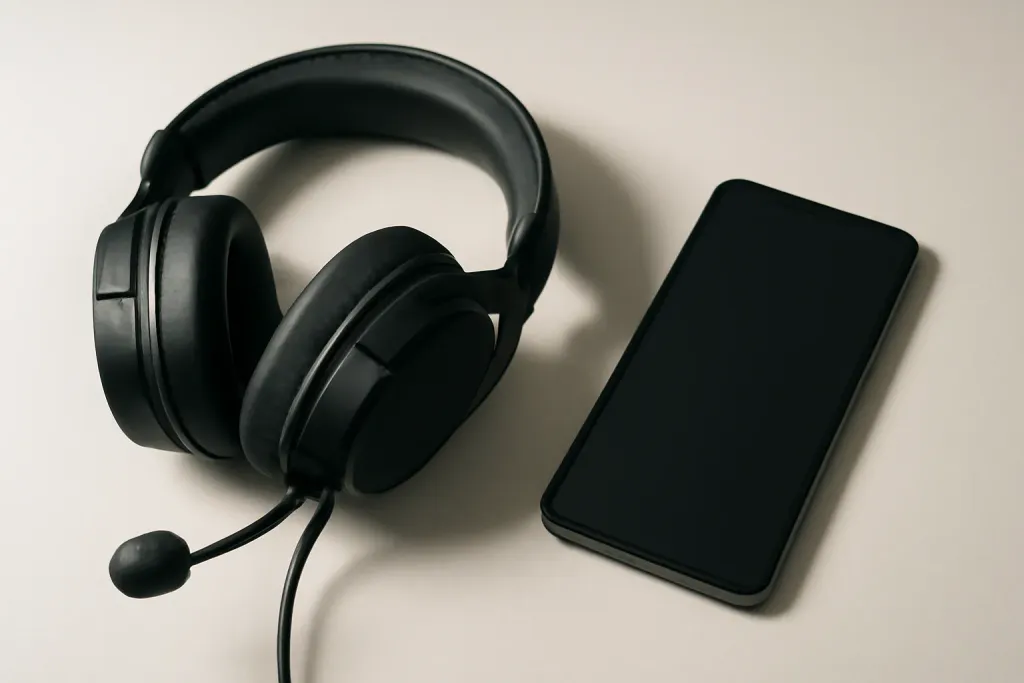








Do Gaming Headsets Work with Phone Calls?
Yes, many gaming headsets do work for phone calls, and some do the job well enough for everyday use. If you are asking whether a gaming headset for phone calls is a practical choice, the short answer is usually yes, as long as the headset is compatible with your phone and its microphone is set up correctly.
The bigger question is not whether it works at all, but how well it works. A headset built for gaming may sound clear for chatting, voice messages, and routine calls, yet still fall short of a headset designed mainly for mobile use. That difference often shows up in microphone placement, background noise handling, cable compatibility, and whether the headset connects by Bluetooth or a wired adapter.
For many people, a gaming headset is a convenient all-in-one option. It can cover gaming, music, and calls without switching devices. If you already own one, it may be worth trying before buying something else. Still, if calls are your top priority, a gaming model is not always the most polished option.
What Makes a Gaming Headset Compatible with Calls?
Compatibility starts with the connection type. Wireless gaming headsets often use Bluetooth, a USB dongle, or a console-focused wireless system. For phone calls, Bluetooth is usually the simplest route because most smartphones support it natively. If the headset uses a USB wireless dongle, it may work with a phone only if you have the right adapter and the phone supports that accessory.
Wired headsets can also work, but the plug matters. Many gaming headsets use a 3.5 mm TRRS connector for headset audio and microphone support. Some phones still accept that directly, while others require a USB-C or Lightning adapter that supports audio and mic input. A plain headphone adapter may pass sound but not the mic signal, which is a common source of confusion.
Mic support also depends on whether the headset has a built-in microphone that the phone can recognize. Most gaming headsets do, but some are designed primarily for console use and may need specific settings or accessories to get full call functionality.
If you want the safest path, look for a gaming headset that clearly supports mobile calls over Bluetooth or through a standard TRRS wired connection. When the product page is vague, check whether the manufacturer mentions phone calls, mobile compatibility, or voice chat on smartphones.
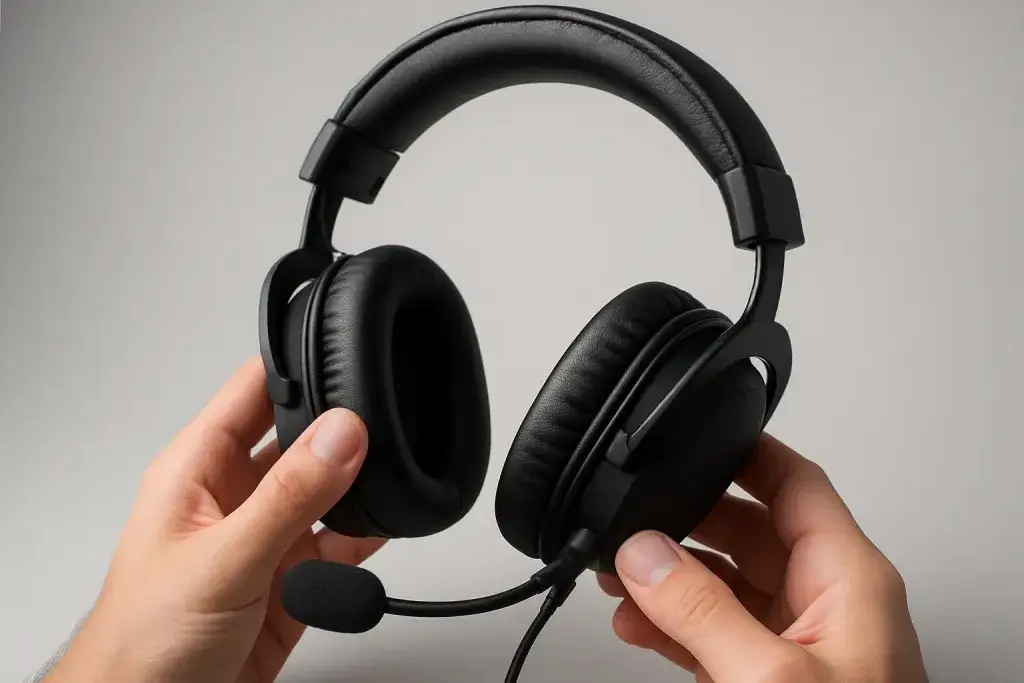
Bluetooth vs. Wired: Which Is Better for Phone Calls?
Bluetooth is usually easier for phone calls because it works without extra adapters and lets you move around freely. It also avoids the hassle of cable length and port compatibility. For a gaming headset for phone calls, Bluetooth is often the most straightforward option if the headset was designed with mobile use in mind.
That said, Bluetooth is not always the best choice for every headset. Some gaming models prioritize low-latency gaming modes or multi-device switching, and those features may not matter much during a call. Bluetooth can also introduce battery management concerns, since the headset must be charged before use. If you forget to charge it, the call ends before it starts.
Wired connections have their own advantages. They do not need charging, and they can be more predictable if the phone and adapter support the microphone properly. This can be appealing for long calls or backup use when battery life is low. The downside is that the cable and adapter setup can be fussy, especially on newer phones without a headphone jack.
In practical terms, Bluetooth is better for convenience, while wired is better for simplicity if your phone still supports it. Neither option guarantees great call quality on its own; the headset’s mic design still matters a lot.
Shop on Amazon
SponsoredAs an Amazon Associate, GameGearLab earns from qualifying purchases. Affiliate disclosure. Images are generic illustrations, not the exact listing.
-
Gaming Headsets
A general starting point for browsing gaming headsets, covering wired and wireless options across consoles and PC.
Browse gaming headsets on Amazon: Gaming Headsets on Amazon -
Gaming Monitors
A general starting point for browsing gaming monitors, covering common refresh-rate and resolution tiers.
Browse gaming monitors on Amazon: Gaming Monitors on Amazon -
Gaming Chairs
A general starting point for browsing gaming chairs, covering common adjustability features to look for.
See gaming chair options on Amazon: Gaming Chairs on Amazon -
Gaming PCs
A general starting point for browsing gaming PCs and components, covering common configuration tiers.
Browse gaming PCs on Amazon: Gaming PCs on Amazon -
Console Accessories
A general starting point for browsing console and setup accessories, covering stands, hubs, and cable routing tools.
Browse console accessories on Amazon: Console Accessories on Amazon -
Controllers
A general starting point for browsing controllers, covering standard and alternative layouts for PC and consoles.
See controller options on Amazon: Controllers on Amazon -
Gaming Keyboards
A general starting point for browsing mechanical gaming keyboards, covering common layouts and switch styles.
Browse gaming keyboards on Amazon: Gaming Keyboards on Amazon -
Gaming Mice
A general starting point for browsing gaming mice, covering common shapes and grip-friendly designs.
Check current mouse options on Amazon: Gaming Mice on Amazon
Mic Quality and Voice Clarity Matter More Than Branding
For calls, the microphone usually matters more than the headphones themselves. A gaming headset may have strong stereo sound, surround features, or bass emphasis, but those benefits do little for phone calls if the mic picks up too much room noise or sounds thin and distant.
Many gaming headsets use boom microphones, which can be helpful because the mic sits closer to your mouth. That position often improves clarity compared with tiny built-in earcup mics. Still, not every boom mic is equally good. Some are tuned mainly for game chat rather than everyday conversations, and they can sound compressed or overly sensitive in noisy spaces.
Another factor is whether the microphone is detachable, flip-to-mute, or fixed in place. Detachable mics can be convenient if you want a cleaner look for commuting or casual use, but they are not always ideal if you rely on the headset for frequent calls. A flip-to-mute design is handy for quick privacy control, though it does not guarantee better sound.
When shopping, pay attention to whether the headset emphasizes clear voice pickup, noise reduction, or voice-focused communication. Avoid assuming that a premium gaming label automatically means a better calling experience. Mic design and placement are often more important than the headset’s style or gamer branding.
Comfort Still Matters for Long Calls
Even if a headset works technically, it still has to feel good enough to wear for the length of your calls. Gaming headsets often prioritize larger earcups, thicker padding, and adjustable headbands, which can be a plus for extended use. That makes them attractive as a gaming headset for phone calls when you want something you can keep on for meetings, family calls, or long conversations.
However, gaming headsets can also be heavier or bulkier than casual Bluetooth headsets. If you make a lot of short calls throughout the day, a lighter mobile headset or earbuds might feel more convenient. Over-ear designs can also trap more heat than smaller options, which some people notice during longer sessions.
Fit is personal. Clamping force, earcup depth, and headband padding all affect comfort. A headset that feels great during a two-minute test may become annoying after half an hour. If you already use a gaming headset for play, try it on a few real calls before deciding whether it suits daily use. Small comfort issues often matter more in practice than feature lists do.
For people who want one device for gaming and calls, the right balance is usually a headset that is comfortable enough for longer wear but not so bulky that it becomes inconvenient to grab for quick phone conversations.
Shop on Amazon
SponsoredAs an Amazon Associate, GameGearLab earns from qualifying purchases. Affiliate disclosure. Images are generic illustrations, not the exact listing.
-
Gaming Headsets
A general starting point for browsing gaming headsets, covering wired and wireless options across consoles and PC.
Browse gaming headsets on Amazon: Gaming Headsets on Amazon -
Gaming PCs
A general starting point for browsing gaming PCs and components, covering common configuration tiers.
Browse gaming PCs on Amazon: Gaming PCs on Amazon -
Console Accessories
A general starting point for browsing console and setup accessories, covering stands, hubs, and cable routing tools.
Browse console accessories on Amazon: Console Accessories on Amazon -
Controllers
A general starting point for browsing controllers, covering standard and alternative layouts for PC and consoles.
See controller options on Amazon: Controllers on Amazon -
Gaming Keyboards
A general starting point for browsing mechanical gaming keyboards, covering common layouts and switch styles.
Browse gaming keyboards on Amazon: Gaming Keyboards on Amazon -
Gaming Mice
A general starting point for browsing gaming mice, covering common shapes and grip-friendly designs.
Check current mouse options on Amazon: Gaming Mice on Amazon -
Gaming Monitors
A general starting point for browsing gaming monitors, covering common refresh-rate and resolution tiers.
Browse gaming monitors on Amazon: Gaming Monitors on Amazon -
Gaming Chairs
A general starting point for browsing gaming chairs, covering common adjustability features to look for.
See gaming chair options on Amazon: Gaming Chairs on Amazon
Common Setup Problems with Phones
One of the most common issues is partial functionality. A headset might play audio from your phone but fail to send mic input, or the mic may work only after you select the headset in the call app. This often happens because the cable, adapter, or wireless profile is not fully compatible with the phone.
Another frequent problem is misunderstanding the difference between headset audio and headphone audio. Some adapters only support listening, not speaking. If your phone has no headphone jack, be especially careful about buying a simple dongle and assuming it will support a microphone automatically.
Bluetooth pairing can also cause confusion. A headset may connect for music but not route calls correctly unless the phone’s Bluetooth settings allow call audio. If voice sounds distorted or the other person cannot hear you, the issue may be settings rather than the headset itself.
Gaming headsets with USB dongles can be the trickiest on phones, because they are often optimized for consoles or PCs. Some phones will not recognize the dongle at all without the correct adapter or operating system support. If a product is primarily marketed for Xbox, PlayStation, or PC, check mobile compatibility carefully before assuming it will handle calls.
The practical lesson is simple: if phone calls matter, read the connection details closely. The headset may be good, but the wrong adapter can make it seem broken.
When a Gaming Headset Is a Good Choice
A gaming headset makes sense for phone calls when you want one accessory that can do multiple jobs. If you split time between gaming, remote chats, and regular calls, a headset that works across devices can save you from buying separate gear for each task. This is especially true if you already own the headset and only need it to handle calls occasionally.
It can also be a good pick if you prefer an over-ear design and want your ears covered rather than using earbuds. Some people find boom mics easier to speak into than tiny inline mics, especially for longer conversations. For voice-focused use at home, a gaming headset can be more comfortable and more functional than a basic pair of headphones.
Multi-platform households also benefit from flexibility. A headset that works with PC, console, and phone can be a practical everyday accessory, even if it is not the absolute best choice in every category. The value comes from versatility, not specialization.
That said, if you mostly take calls on the move, a lighter mobile headset or earbuds may still be the better fit. The best choice depends on how often you call, where you call from, and whether gaming is a major part of the use case.
When to Look for Something Else
If your main goal is clear mobile calling, a dedicated call-focused headset or a good pair of earbuds may be the safer buy. Gaming headsets can be excellent for versatility, but they are not always optimized for natural-sounding speech, portable use, or one-tap convenience on phones.
You may also want something else if you make calls in noisy places, commute often, or dislike bulk around your ears. In those situations, a smaller wireless option can be easier to carry and quicker to use. If the headset requires multiple adapters or app settings just to answer a call, it may be more trouble than it is worth.
Another reason to look elsewhere is battery dependence. If you frequently forget to charge accessories, a wired option or a simpler mobile headset can be less frustrating. Likewise, if the headset’s microphone is clearly tuned for game chat rather than conversation, a more phone-friendly product may give you a better everyday experience.
The best buying decision comes from matching the product to the real use case. If calls are occasional, a gaming headset may be perfectly fine. If calls are central, prioritize mobile compatibility and call clarity over gaming extras.