Choose the size first (a medium pad for a mouse, an XL or desk mat for keyboard and mouse), then the surface: cloth for control, hybrid for balance. The QcK Heavy and Gigantus V2 are the classic cloth picks; the G840 XL and MM700 are the desk mats.
Our picks
We chose these from the makers' own spec pages and the buying criteria below, not from hands-on testing. Specs are the makers' ratings. Check the current listing for your region and variant before you buy. Links are Amazon Associates affiliate links.
Classic cloth pad
SteelSeries QcK Heavy
SteelSeries lists a cloth surface, 4 to 6 mm thick, in Medium, Large and XXL.
Cloth surface, 4 to 6 mm thick
Medium 320 x 270 mm, Large 450 x 400 mm, XXL 900 x 400 mm
We chose five pads from the makers' pages for their listed sizes, thickness and surface type. We did not test glide or tracking, and we avoid claims about speed that we cannot back. Dimensions come straight from each maker's size list.
Pick the size first
A medium pad (roughly 320 to 360 mm wide) holds a mouse and little else. An XL or desk-mat pad of about 900 mm by 400 mm holds your keyboard as well, which is why many players pick them for a clean desk. Low-sensitivity players who swing their arm need more room.
Measure your desk before you buy. A pad that overhangs will curl and bunch.
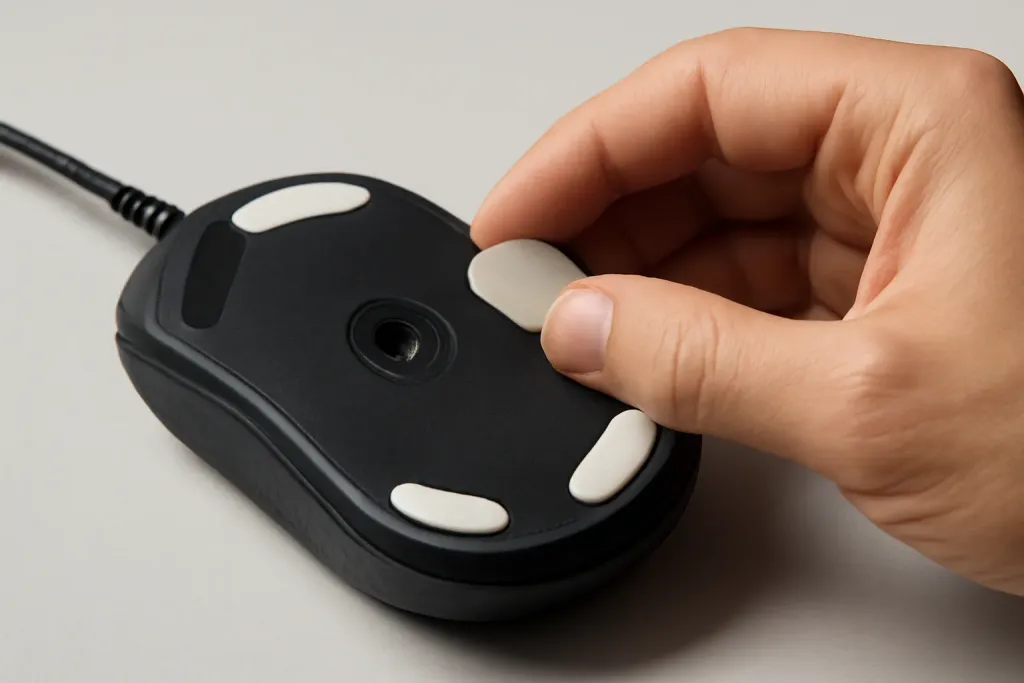
Pad sizes drawn to scale. Footprints from the Razer Gigantus V2 size list: a 360 x 275 mm medium pad holds a mouse; a 940 x 410 mm XXL also holds a keyboard.Mouse feet and the pad surface work together.
Shop on Amazon
Sponsored
As an Amazon Associate, GameGearLab earns from qualifying purchases. Affiliate disclosure. Images are generic illustrations, not the exact listing.
Gaming Mice
A general starting point for browsing gaming mice, covering common shapes and grip-friendly designs.
Cloth surfaces give a controlled feel and are the default for FPS. Softer, thicker pads feel cushioned and hold mouse feet quietly. Hybrid pads aim for a balance of glide and stopping power, which is how Razer describes the Strider. Hard pads glide fastest but give less control; we do not feature one here.
Your mouse feet matter too; see our mouse feet guide. The best pad is one you do not think about.
Thickness and care
Thickness here runs from 3 mm to 6 mm. Thicker pads add cushion and hide uneven desks. Look for stitched edges that stop fraying, a rubber base that stays put, and a surface that can be washed according to the maker's care notes. Check the page before you wash.
A medium pad suits a mouse. An XL of about 900 x 400 mm holds a mouse and keyboard. Measure your desk and your swipe range first.
Is a cloth pad better for gaming?
Cloth pads are the usual choice for control. Hybrid pads aim for balance. Pick for the feel you prefer.
Does thickness matter?
Thicker pads feel more cushioned and hide desk bumps. Thinner pads feel firmer. Pads here range from 3 to 6 mm.
Can I wash my mouse pad?
Often, but follow the maker's care notes. Many cloth pads can be hand washed. Heat can damage the base.
Does the pad affect the sensor?
Yes. A pad with a consistent surface helps tracking. Very reflective or uneven surfaces can cause issues.
Do I need RGB?
No. Lighting does not affect tracking. It adds a cable and a USB port.
Is any mouse pad good for gaming?
Any smooth, consistent surface can track well. Gaming pads add a size and surface chosen for glide or control, and a stitched edge that lasts. Pick the size for your sensitivity and the surface for how fast you want the mouse to move.
This article reflects independent editorial research and disclosed buying criteria, not hands-on lab testing or manufacturer sponsorship.
Some links on this page are Amazon Associates affiliate links; see our
affiliate disclosure for details.