








How we compared
We compared the two chair types from maker pages and our picks guides. We did not test them. Where a number is a maker's rating, we say so.
Support and adjustment
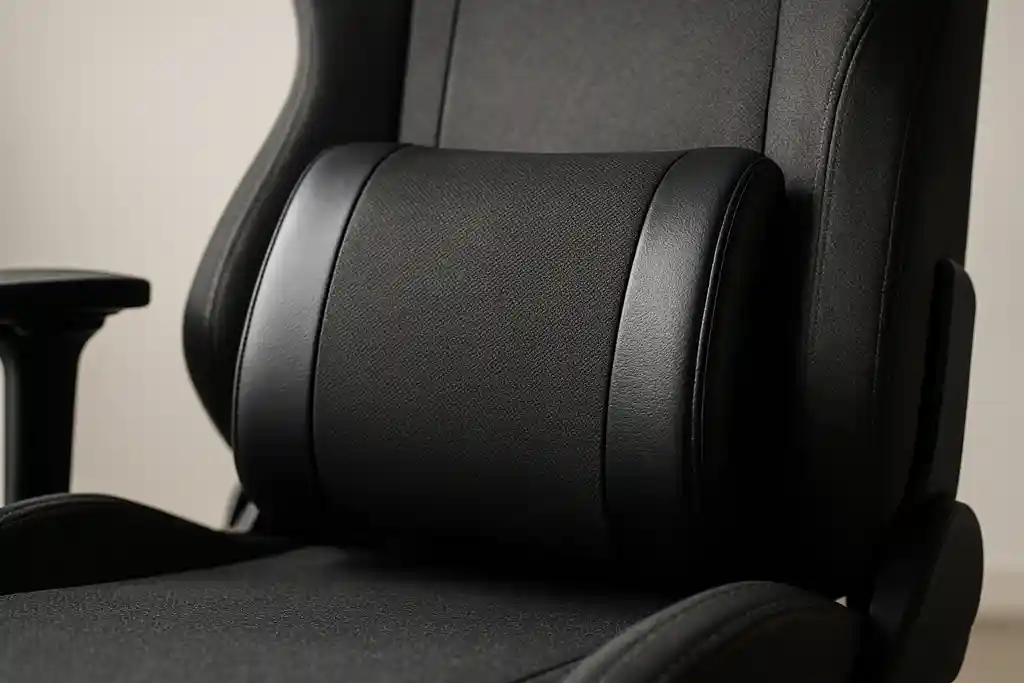
Good office chairs usually offer more separate adjustments: seat depth, back tilt, arm height and width, and lumbar. Gaming chairs usually offer a high back, neck and lumbar cushions, and a tilt lock. Cushions can be moved or replaced, but they cannot add a missing adjustment.
Comfort and heat
Mesh office chairs breathe well; most gaming chairs use faux leather or fabric that holds heat on long sessions. A bolstered racing seat can feel snug for wider people. See gaming chairs for big and tall users if sizing is your concern.
Which for you?
If you game for hours and also work at the desk, an adjustable office chair is the safer bet. If you want the look, the neck cushion and the recline, a gaming chair is fine, but check the adjustments on the listing. Our ergonomic chair guide lists what to look for.
Shop on Amazon
SponsoredAs an Amazon Associate, GameGearLab earns from qualifying purchases. Affiliate disclosure. Images are generic illustrations, not the exact listing.
-
Gaming Chairs
A general starting point for browsing gaming chairs, covering common adjustability features to look for.
See gaming chair options on Amazon: Gaming Chairs on Amazon -
Gaming Mice
A general starting point for browsing gaming mice, covering common shapes and grip-friendly designs.
Check current mouse options on Amazon: Gaming Mice on Amazon -
Gaming Monitors
A general starting point for browsing gaming monitors, covering common refresh-rate and resolution tiers.
Browse gaming monitors on Amazon: Gaming Monitors on Amazon -
Gaming PCs
A general starting point for browsing gaming PCs and components, covering common configuration tiers.
Browse gaming PCs on Amazon: Gaming PCs on Amazon -
Console Accessories
A general starting point for browsing console and setup accessories, covering stands, hubs, and cable routing tools.
Browse console accessories on Amazon: Console Accessories on Amazon -
Gaming Headsets
A general starting point for browsing gaming headsets, covering wired and wireless options across consoles and PC.
Browse gaming headsets on Amazon: Gaming Headsets on Amazon -
Controllers
A general starting point for browsing controllers, covering standard and alternative layouts for PC and consoles.
See controller options on Amazon: Controllers on Amazon -
Gaming Keyboards
A general starting point for browsing mechanical gaming keyboards, covering common layouts and switch styles.
Browse gaming keyboards on Amazon: Gaming Keyboards on Amazon
Mistakes to avoid
Do not assume the gaming label means ergonomic; it can mean a racing-style seat with few adjustments. Equally, do not assume an expensive office chair will fit you: a mesh chair in the wrong size can be less comfortable than a cheaper one in the right size. Check the adjustments on the listing against the ones you will use: seat height, depth, tilt and arm height.
How to decide
List the three things you care about most, such as breathable seating, a head cushion or a low price. Then check which chair type offers each as a standard feature rather than an add-on. If you work and game at the same desk, favour adjustment. If the chair is only for the games room and you like to recline, favour a gaming chair with a solid recline lock.
Quick checklist
- Check the adjustments you will use daily: seat height, seat depth, back tilt, arm height and lumbar.
- Compare the weight rating and the seat width against your build.
- Decide whether you want breathable mesh or a padded seat, and whether you want a head cushion.
- Check the return policy and the coverage period for the frame, the lift and the casters.